
NinetenProspect Starter Kit
Free · works inside Claude

Find your next customer —
and email them.

Tell it who you sell to. Prospect Starter Kit finds matching businesses, researches each one, writes a personal email in your voice, and sends it from your own inbox. You just approve.

No credit card · set up in 2 minutes · disconnect any time
From “who do I email?” to “sent” — in one chat
01🔎

Find

Tell it who you sell to; it finds matching businesses and the right people.

02📖

Research

It reads their site, team and recent news, so your email is personal.

03✍️

Write

Drafts a tailored email in your voice — tweak it by just asking.

04📤

Send

Sends from your own inbox. You approve every one.

And after you send — just ask “who replied?” and it surfaces the replies so you follow up at the right moment.

Just ask, in plain English
Find new prospects
“Find 10 dental clinics in Johor Bahru and list their websites.”
“I sell bookkeeping to small e-commerce brands — find 15 online stores in Malaysia I could reach out to.”
Research & write
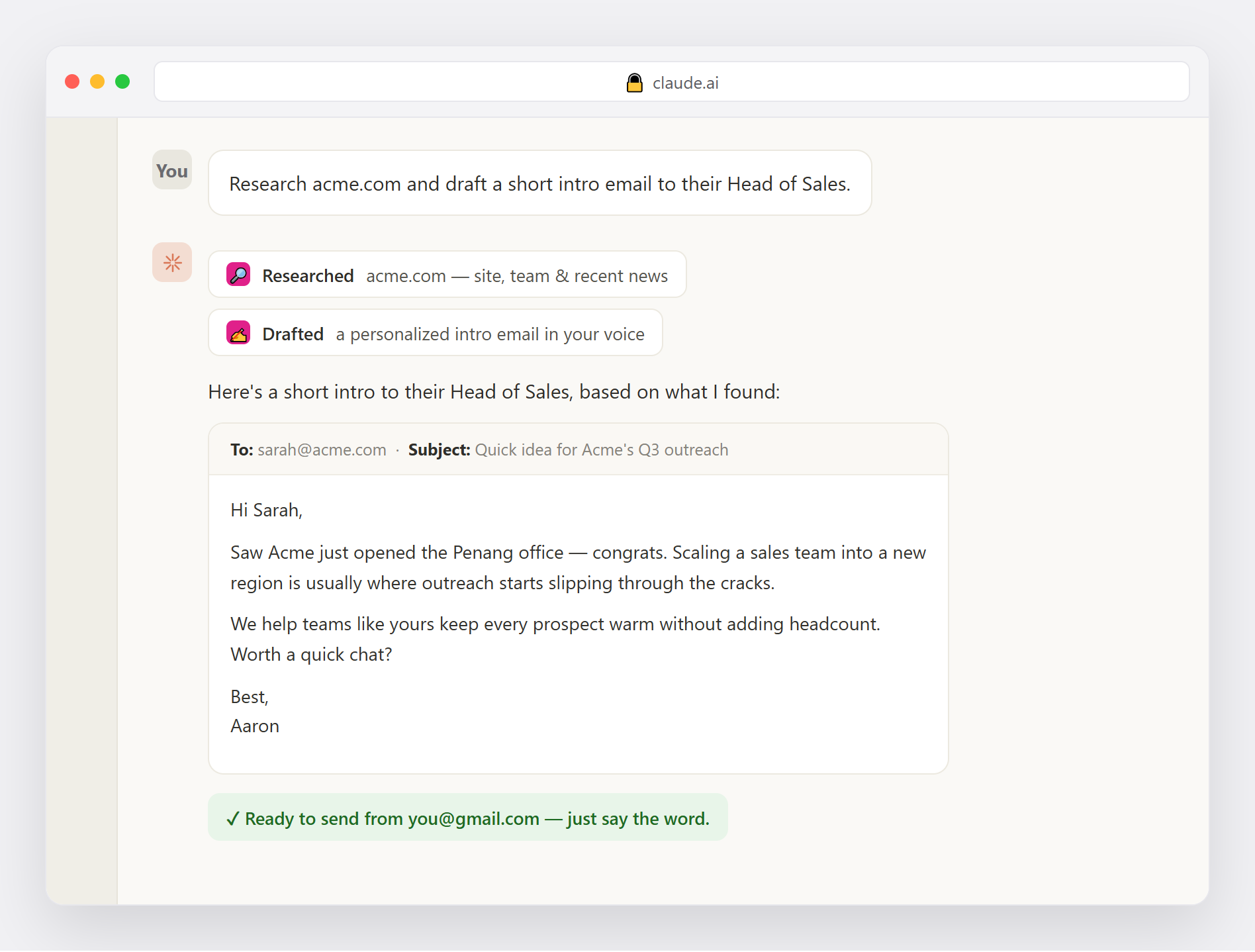
“Research acme.com and draft a short intro to their Head of Sales — under 80 words.”
Send & follow up
“Looks good — send it.” · “Send all 5, one to each prospect.”
“Who replied this week?” · “Draft a follow-up to anyone who hasn’t replied.”
Or do the whole thing in one go
“I sell [what] to [who]. Find 5 good-fit prospects, research each, and draft a tailored intro to the decision-maker. Show me all 5 — then I'll tell you which to send.”
See it in action
Prospect Starter Kit researching, drafting and preparing an email inside Claude
Find → research → draft → ready to send, all in one chat.
Up and running in three steps
1

Create your free account

Just email and a password — about 30 seconds.

2

Connect your Gmail

One app password, encrypted on our side. Disconnect any time.

3

Add it to Claude and just ask

“Find prospects and draft intros.” “Email this one.” That's it.

https://prospect-starter-kit.nineten.ai/mcp

Your MCP connection URL — paste it into Claude's connectors, then sign in.

📄 Download the 6-step setup guide (PDF)

About 2 minutes, no coding — the guide walks you through every screen.

🔒

Encrypted & private — and you're in control. Your inbox access is encrypted, used only when you ask, and never shared. You approve every email — nothing sends on its own. Disconnect and erase it any time.

Questions
What does it cost?
It's free. No credit card.
Is my email safe?
Your access is encrypted and used only when you ask. Nothing is ever sent without your approval, and you can disconnect and erase it instantly.
What do I need?
A Gmail account and a one-time app password — about 2 minutes to set up. The setup guide walks you through it.
Does it email people on its own?
Never. It finds, researches and drafts — you approve every send.

Your prospects — found and emailed.

Get started — it's free → or download the setup guide (PDF)